
Build Your AI Chief of Staff in 30 Minutes
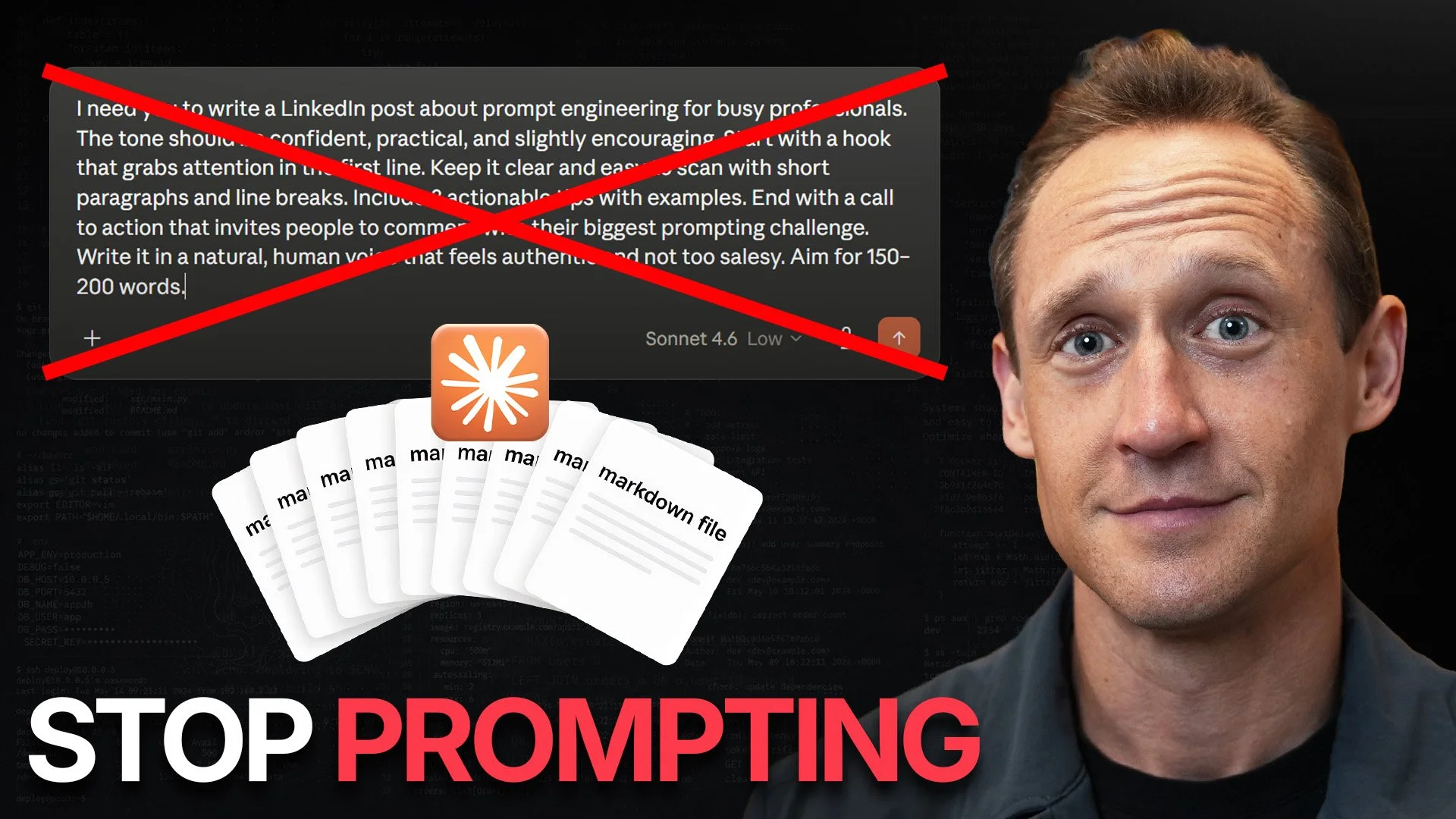
Brand new video: “8 Files That Make Claude 11.5x Smarter”
↑ Watch the build, or read the build — same system either way. The free starter kit is linked in the video's description. One longtime reader grabbed it last week and texted me that it "feels like magic." That text is most of this post.
You just scrolled past a video. Before you decide whether to watch it, let me tell you about the best objection I've ever heard to the idea inside it.
It didn't come from someone who hates AI. It came from someone who's genuinely good at it.
The objection, more or less: I've spent two years getting good at prompting. I've built real skill. Now you're telling me the leverage is somewhere else — in a bunch of files? Is a folder of context really going to beat the craft I've actually developed?
That's a fair thing to be defensive about. Hearing that the leverage might live somewhere other than the skill you actually sharpened is not a fun thing to read. So let me be careful here, because the answer isn't what the objection assumes.
You're not losing your prompting skill. You're about to find out what it was compensating for.
Let me show you, with a real one.
Paul runs the experiment
A reader named Paul (a security professional whose entire job is keeping customers safe) tried out the exact setup I recommend in the video last week. Then he ran a clean little experiment.
He had a QBR entry to write. If you've written one, you know the tightrope: state the facts, show measurable impact, and somehow convey that the work matters — that there are humans on the other end of the metrics — without yanking on heartstrings. Easy to sound like a robot. Almost as easy to sound schmaltzy.
So he wrote it twice.
First with plain ChatGPT — the paid version, the one that already has memory and a fair amount of background on him. The result, in his words, was "good enough."
Then he wrote it again, this time with his Teammate Stack loaded — the context files the interview had built for him. Same person. Same task. Same model. The only thing that changed was context.
This time it came back as something that, again in his words, "truly felt like I wrote it."
Then he said the thing that made me put the phone down:
Had he only prompted the general chat and then asked it to "show more emotion," he told me, it would have gone schmaltzy — and probably taken a bunch of reprompting to wrestle back. The skill of prompting his way out of schmaltz is real. He has it (it’s a hard-fought skill of prompt engineering). He just didn't need to use it, because the context never produced the schmaltz in the first place.
That's the whole thing, right there. Prompting skill is often the work of recovering from missing context. Give the AI the context, and you stop needing the recovery move.
And here's the kicker (especially if you’re a skeptic:)
Paul doesn't even write short prompts. "I'm not in the business of writing short prompts," he told me. He rambles in voice mode and has the AI interview him, exactly the way I’ve been suggesting in this very blog for years. So the magic, for him, wasn't that he'd finally crafted a clever, compact prompt. It was that a short, vague prompt produced something that sounded like him — because all the context it needed was already sitting in the background.
Read that again if you're skeptical. The win wasn't a better prompt. It was that the prompt barely had to try.
So whatis this system, exactly? — and why you shouldn't just copy my files
If you tried the quick interview I suggested at the end of Stop Reintroducing Yourself to AI, this is that conversation, grown up.
The system is a small set of plain files — I call it the Teammate Stack — that you load into whatever serious AI you use (in ChatGPT or Claude on the web, "load" just means dragging the files into a chat — more on that below), so it knows who you are, how you sound, what you're working on, what you refuse, and how you like to work. Paul loaded his into a work agent. You can load yours into Claude, ChatGPT, Cursor, Codex, Rebel, whatever.
But here's the part to hear before you go download anything:
Do not just download my files and start using them.
I know — I'm the one giving you the files. But if you download mine, you get my structure. You do not get my context. My identity file knows who I am. My voice file makes AI sound like me. My rules reflect my standards and my very specific allergy to corporate mush. Useful for me. Mildly weird for you.
The files are not the magic. The interview is.
The kit ships with a meta-prompt that turns an AI into an interviewer — it asks you one question at a time and rewrites each file around your answers. That interview is the part most people skip, and it's the only part that actually matters. You're not trying to copy my stack. You're using my structure to reveal yours.
What's in the kit (the short version)
Eight files. But if you only have 30 minutes, five of them carry the weight:
Identity — who you are and what work actually matters to you. Not your LinkedIn bio. The "what would a smart teammate need on day one?" version.
Voice — how you sound when the work is good. Not "professional." Professional usually means "please remove all signs of human life." Give it three lines from something you've written that felt like you.
Anti-style — what it should never sound like. A lot of strong voice is really strong rejection. If "unlock your potential" makes you close the tab, write that down.
Context — what matters right now. Projects, deadlines, constraints. This is the file that drifts fastest, which makes your AI feel either strangely brilliant or strangely off.
Rules — how it should collaborate. When to ask, when to just make the call, when to challenge you, when to stop polishing.
The other three — Opening Move (your default way to start a serious session), Connectors (where the real work lives; start read-only), and Leverage (what should become repeatable) — make the system compound over time. You can dial them in later. Get the first five dialed in NOW.
The 30-minute setup
A word on that number, because it's a little generous.
Thirty minutes gets you a working version. Paul spent ninety and called it “worth every minute” (direct quote). Both are true — because working and worth it are different things. Thirty minutes gets you across the threshold. The deeper you go, the more it sounds like you. So set a timer for thirty, not because thirty is magic, but because a timer keeps this from becoming a personal rebrand.
Minute 0–3 — Open the kit. Read the README. Don't study it. Just get the map. The one thing to absorb: you're not copying my stack, you're using my structure to recreate your own with help from AI.
Minute 3–5 — Paste the meta-prompt. It tells the AI to interview you, not guess at you — one question at a time, no inventing facts. If it fires fourteen questions at once, stop it. That's a questionnaire with delusions of grandeur, not onboarding.
Minute 5–20 — Answer like a human. Out loud if you can. Talk your answers, then paste or dictate them. You'll say things you'd never type — more specific, less polished, accidentally honest. For voice, don't say "clear and concise." Everyone says clear and concise. Show it a real line that sounded like you. For anti-style, tell it what makes you cringe. (This, Paul would tell you, is most of the game.)
Minute 20–25 — Let it draft the files. Don't perfect them. If the identity file starts reading like the back cover of a leadership book, cut it. You're building a working brief, not a memoir.
Minute 25–30 — Test it on one real task. Don't end by admiring your files. Use them.
Your first test: run Paul's move
Don't pick an easy task. Pick the one you were dreading.
Specifically: find the thing you have to write that's supposed to sound human — the QBR entry, the hard update, the note where the facts matter but so does the fact that you mean them. The thing where plain AI usually goes schmaltzy and you spend twenty minutes wrestling it back.
Load your stack. Give it a short, almost lazy prompt. See what comes back.
If it sounds like you, you'll feel it immediately — that small jolt Paul described. If it sounds off, even better, because which kind of off tells you which file to fix. Generic? Strengthen context. Wrong tone? Voice or anti-style. Too many questions? Tighten rules. Makes something up? Tighten the verification rule. The output is a diagnostic. The stack gets better by working, not by theorizing.
Two readers, same instructions, opposite reactions
Let me be straight about who this worked for instantly and who it didn't — yet.
Paul lives in AI. He rambles in voice mode every day; for him this clicked the first time. But another collaborator — I'll call her Sara — just as sharp, watched the same video, downloaded the starter kit from the description, and hit a wall on the written setup instructions. They were, in her words, "kind of jargony and not really for beginners." She was right. So I updated them.
Here's what I learned as I tried to understand: her confusion wasn't about the idea. She got the idea. She got stuck on one mechanical step that everyone who already uses AI forgets is invisible to everyone who doesn't:
What do I physically do with the files?
The starter kit, in its first iteration, said things like "load them wherever your AI keeps persistent context" and "point your AI at the folder." If you live in this stuff, those sentences are obvious. If you don't, they're a wall. Sara said it perfectly: "Point your AI to that folder — I don't even know what that means."
So here's the answer, in plain words, because she deserved it the first time: you download the files, and you drag and drop them into your AI chat window. That's it. That's the whole "load the stack" move. No folder. No setup. No persistent anything. If a sentence ever assumes you know where your AI "keeps" things, my sentence was the problem — not you. (My bad!)
The gap between Paul and Sara isn't intelligence. It's familiarity with one drag-and-drop step. Which means if you felt lost watching the video, you're not behind — you just got handed instructions written by someone who forgot what's obvious. There's a plain-language recap at the bottom of this post built for exactly that.
(And Paul, who's done it, had the best tip for the part Sara found hardest — the interview itself: “if you don't know how to answer one of its questions, just tell the AI. Ask it for examples, or to clarify.” You're not supposed to walk in with polished answers. Not knowing your answer is the reason for the interview.)
One maintenance note, then I'll get out of your way: the context file goes stale fastest, so refresh it whenever the AI starts feeling smart but slightly off, and give the whole thing a quick audit once a quarter. The kit includes a log so it remembers for you.
The real point
The first teammate is the hard one — not because the tech is hard, but because it forces you to make your own context legible, maybe for the first time. The second is easier; it inherits everything you just built. By the fifth, you're not starting over anymore. That's the leverage.
And to the skeptic I started with — the one who's good at prompting and a little insulted by all this: you're not being asked to throw anything away. Paul didn't. He's a craftsman who rambles in voice mode and interviews his AI. He kept every bit of his skill. He just gave it a foundation, and then watched a short, vague prompt sound exactly like him.
That's the upgrade. Not a better prompt. A teammate that already knows you well enough that the prompt barely matters.
Stop saying you need an AI chief of staff.
Onboard the one already sitting in the chat window.
Watch the video — 8 Files that Make Claude 11.5x Smarter
The plain-language recap (start here if the video moved fast)
No jargon. Six steps. This is the whole thing:
Download the files at the starter kit link above.
Open a new chat in ChatGPT or Claude.
Drag all the files into the message box. That's what "load the stack" means — there's no folder to point at, just drag-and-drop.
Paste in the meta-prompt (it's one of the files). It tells the AI to interview you, one question at a time.
Answer its questions. Stuck on one? Tell it so — ask for an example or to clarify. You're not supposed to have polished answers ready. (That's Paul's tip, and it's the one that gets people unstuck.)
Save the rewritten files it gives you. Next time, drag those in instead of mine.
That's the entire system. Thirty minutes to a working version. Longer if you want it to really sound like you — trust me (and Paul): it’s worth it.
Related: Stop Reintroducing Yourself to AI
Related: It's a Skill, Not a Pill
Related: From Authorship to Stewardship
Join over 39,147 creators & leaders who read Methods of the Masters each week.


I've spent twenty years telling people to make time for innovation. Last week, in front of a room I love teaching, I finally saw the flaw in the advice.